
AI Image Translator Free
Try an example
Built For Real Work
Translate image text in seconds
Drag the slider to see how TextEditImage works as an AI image translator while keeping everything else pixel-perfect.
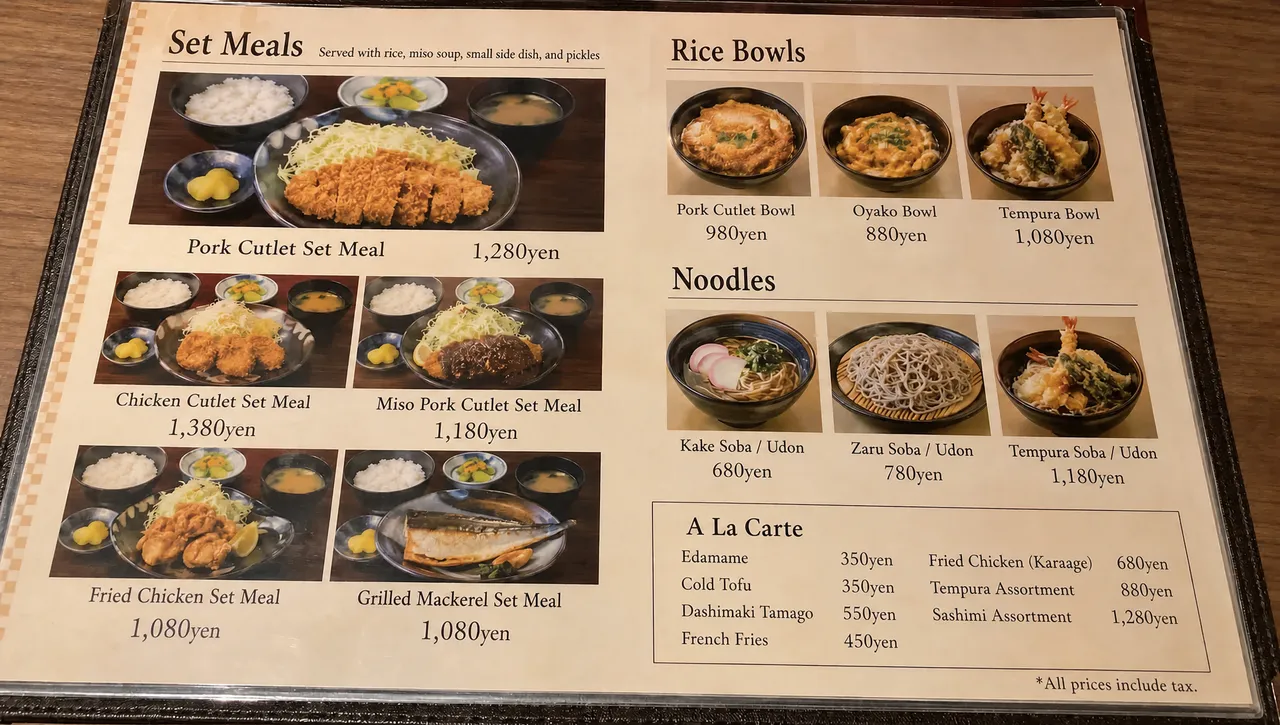
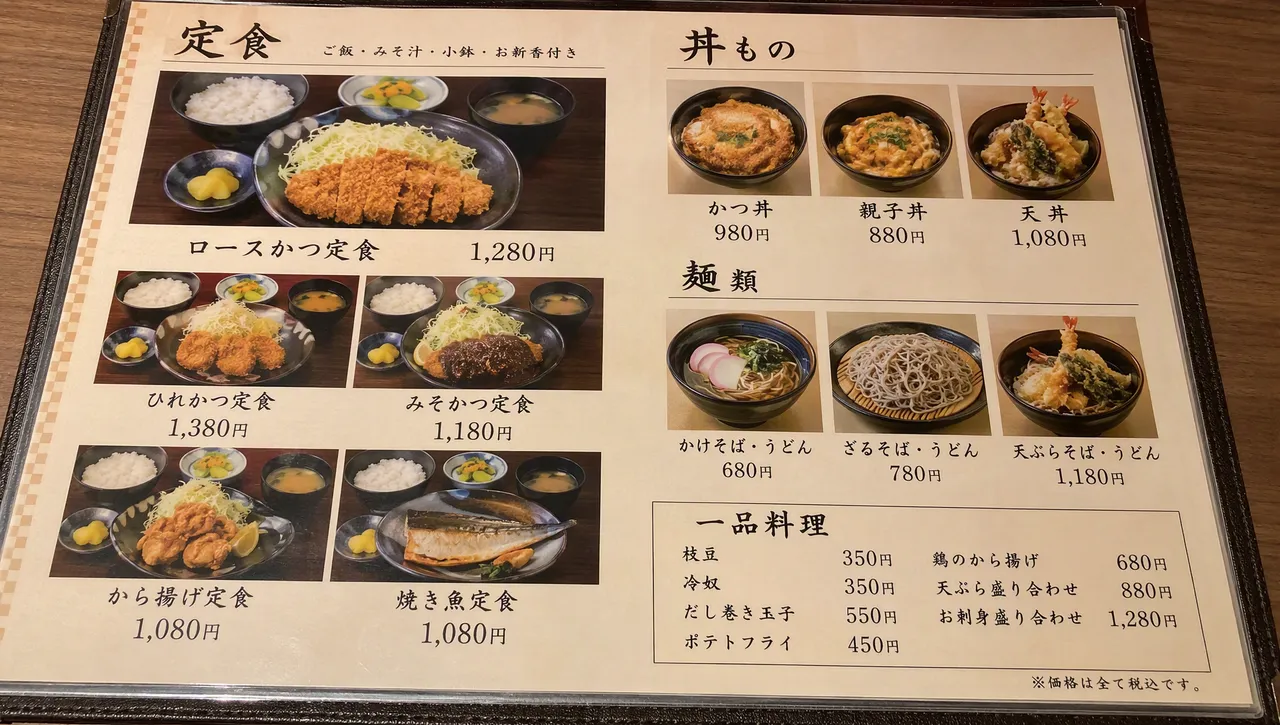
Translate a menu photo to English
Order with confidence abroad. Translate photo to English in seconds while keeping the dish photos, layout and prices exactly as they are.
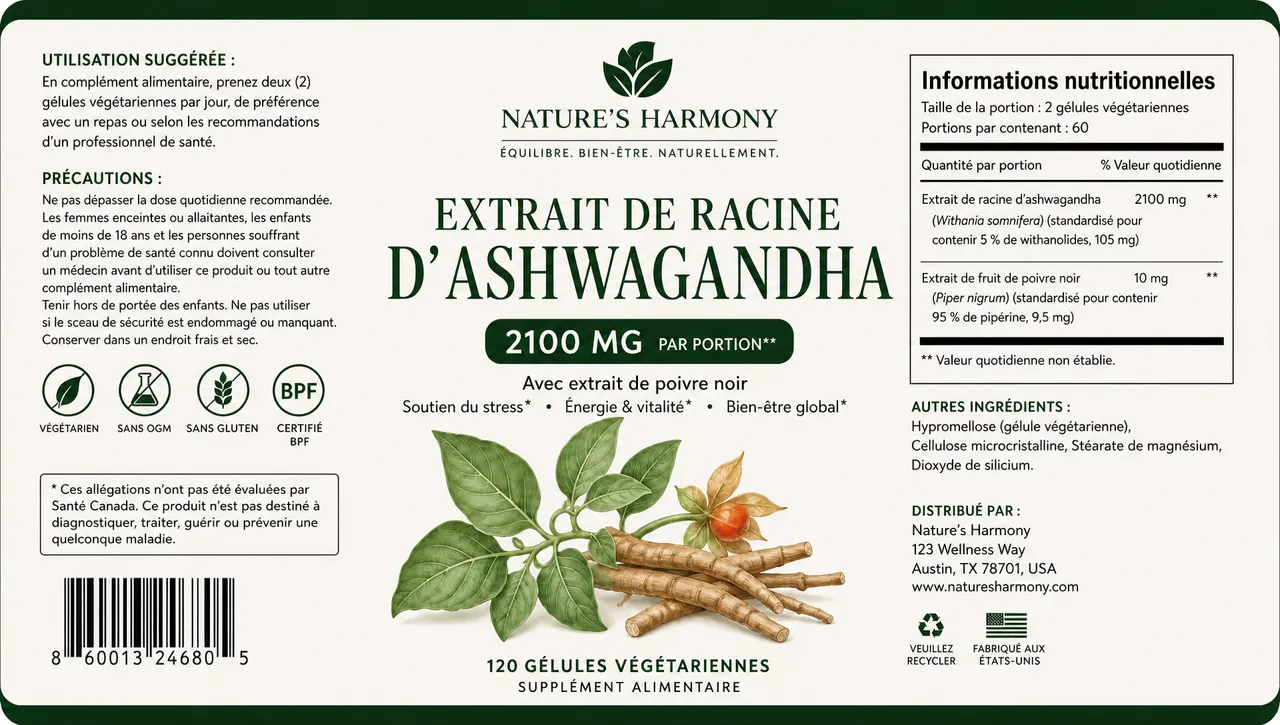
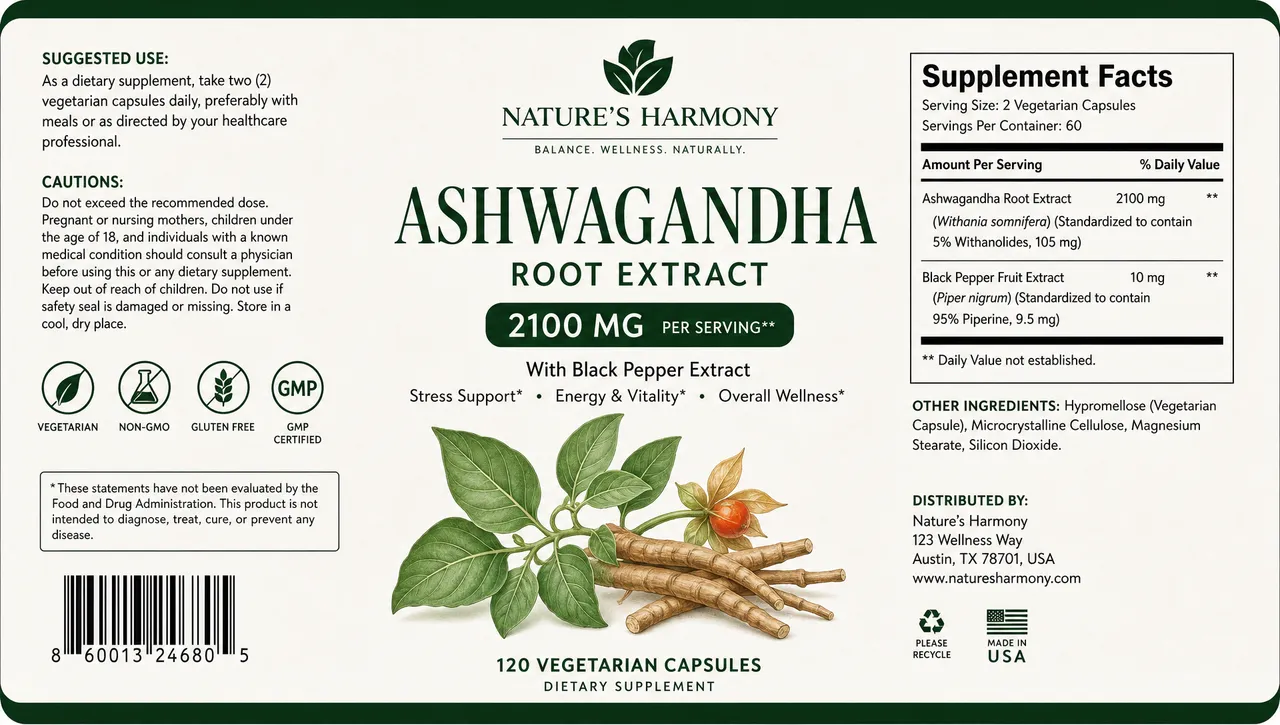
Localize a product label
Selling across markets? Use an AI image translator to swap label text into another language instead of re-shooting the product.
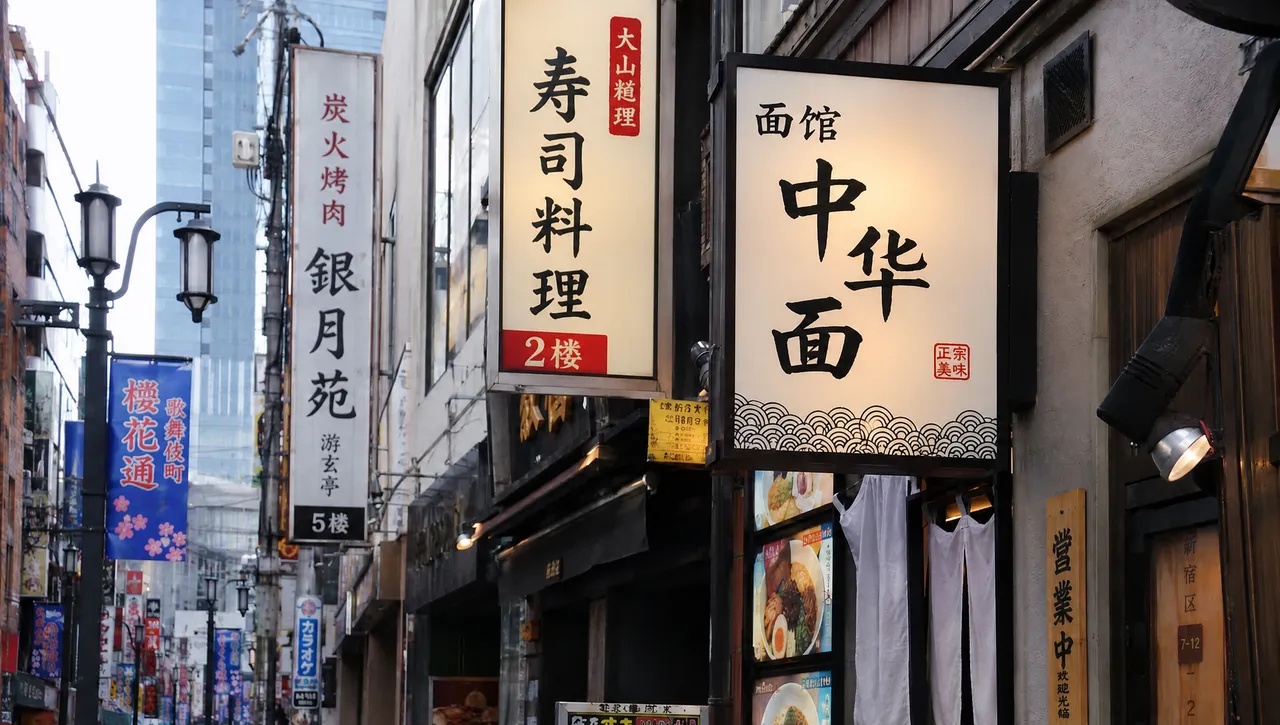
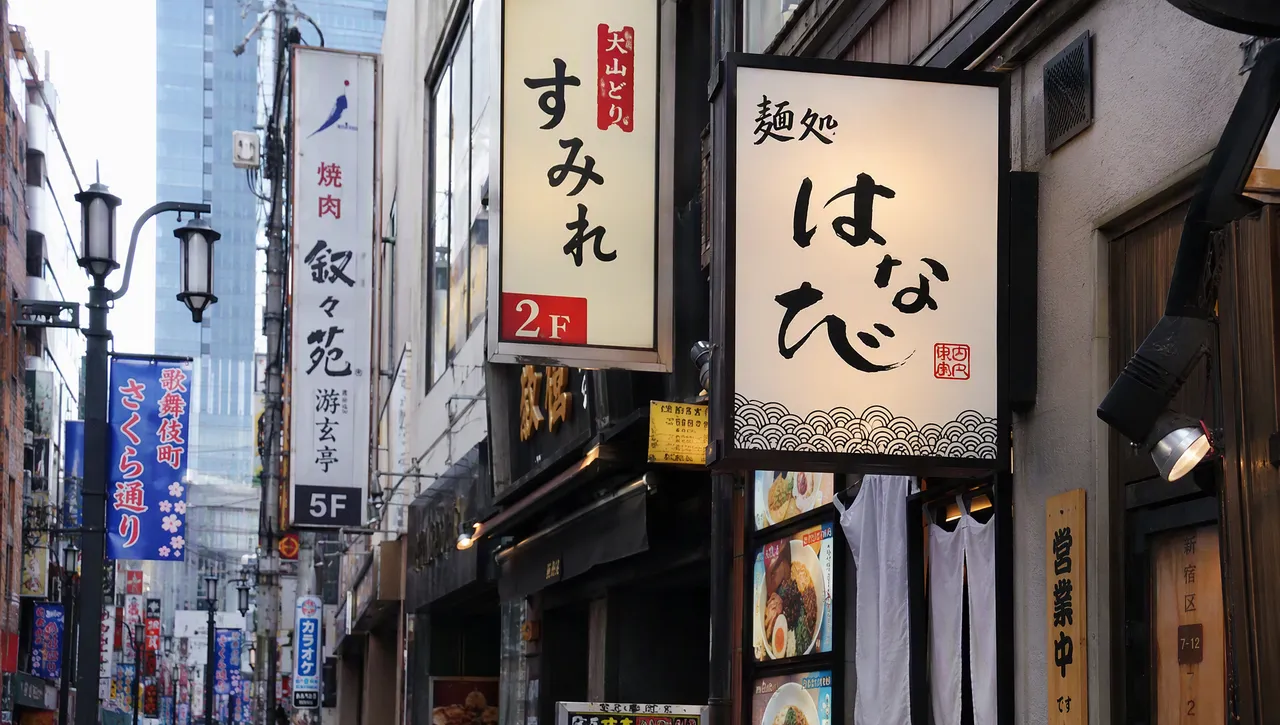
Translate text on signs and storefronts
Street signs, posters, storefronts — translate image text on any real-world photo and keep the perspective looking natural.


Translate a screenshot in one click
App screens, game UIs, chat captures — translate text in photos without rebuilding the layout.
Why TextEditImage
Translate image text while keeping every pixel
Most tools paste a translation box over your image. TextEditImage redraws the words in place, so the result looks native.
Translate image text with a prompt
Type what you need — "translate photo to English, keep the style" — and the AI rewrites the words for you.
Keeps the original font and style
When you use the AI image translator, it reads the typeface, weight, colour and perspective of the existing words, then blends the translation to match.
English plus 30+ languages
Translate image text into English, Spanish, Japanese, German and more — or the other way around — with a single sentence.
Keeps numbers and layout intact
Prices, addresses and dates around the translated text stay untouched, so the photo still reads naturally.
3 Simple Steps
Translate image text in 3 steps
No design skills, no Photoshop, no learning curve.
Upload your photo
Drag in a PNG, JPG or WebP photo with visible text: a menu, a sign, a label, a screenshot.
Describe the translation
A good AI image translator only needs one sentence — "translate photo to English, keep the style" — or name any other target language.
Download the result
Preview the translated photo, tweak if needed, and download a sharp 2K image ready for sharing or documents.
The Difference
Best way to translate image text
The best way to translate image text: Photoshop is powerful but slow, free tools paste a box over your words, and our AI translate image engine redraws the translation in place.
| TextEditImage | Photoshop | Free tools | |
|---|---|---|---|
| Design skills required | None | High | Low |
| Time to translate one image | ~30 seconds | 10–30 minutes | 5–10 minutes |
| Keeps original font & style | Yes (AI) | Only if you rebuild it | Mostly overlays text |
| Numbers & layout stay intact | Automatic | Manual | Rarely |
| Free to start | Yes | Trial only | Often watermark |
“I photograph menus on every trip and used to retype them into a translation app. Now the AI image translator rewrites the text right on the photo — and the original layout survives.”
“We localize packaging for three markets. Instead of re-shooting labels, we translate image text in seconds and the font still looks printed.”
“I use it to translate text in photos for my language students — real signs, real menus, perfectly matched type. It made my classes twice as engaging.”
“Our app screenshots go global now. One sentence and the AI swaps the UI language without breaking the layout — translating text in photos was never this easy.”
“I was skeptical it would keep the perspective on street signs. It did. This AI image translator is now my default travel tool.”
“Investor decks from overseas partners get translated photo to English in minutes. It looks professional, saves me from recreating slides, and the free start is genuinely useful.”
FAQ
AI image translator: FAQ
Can I use an AI image translator for free?
Do I need Photoshop to translate text in photos?
Will the translation match my photo's font and style?
Can I translate photo to English and other languages?
What kinds of images can the AI translate?
Is it safe to upload my photos?
Ready to translate image text?
Start with one free translation — no credit card required. Then translate text in photos whenever you need it.